boopr

Your friends. No noise.

A chronological feed of the people you actually know. No ads, no algorithm. Out now on the App Store and Google Play.

Free · No phone number, no email
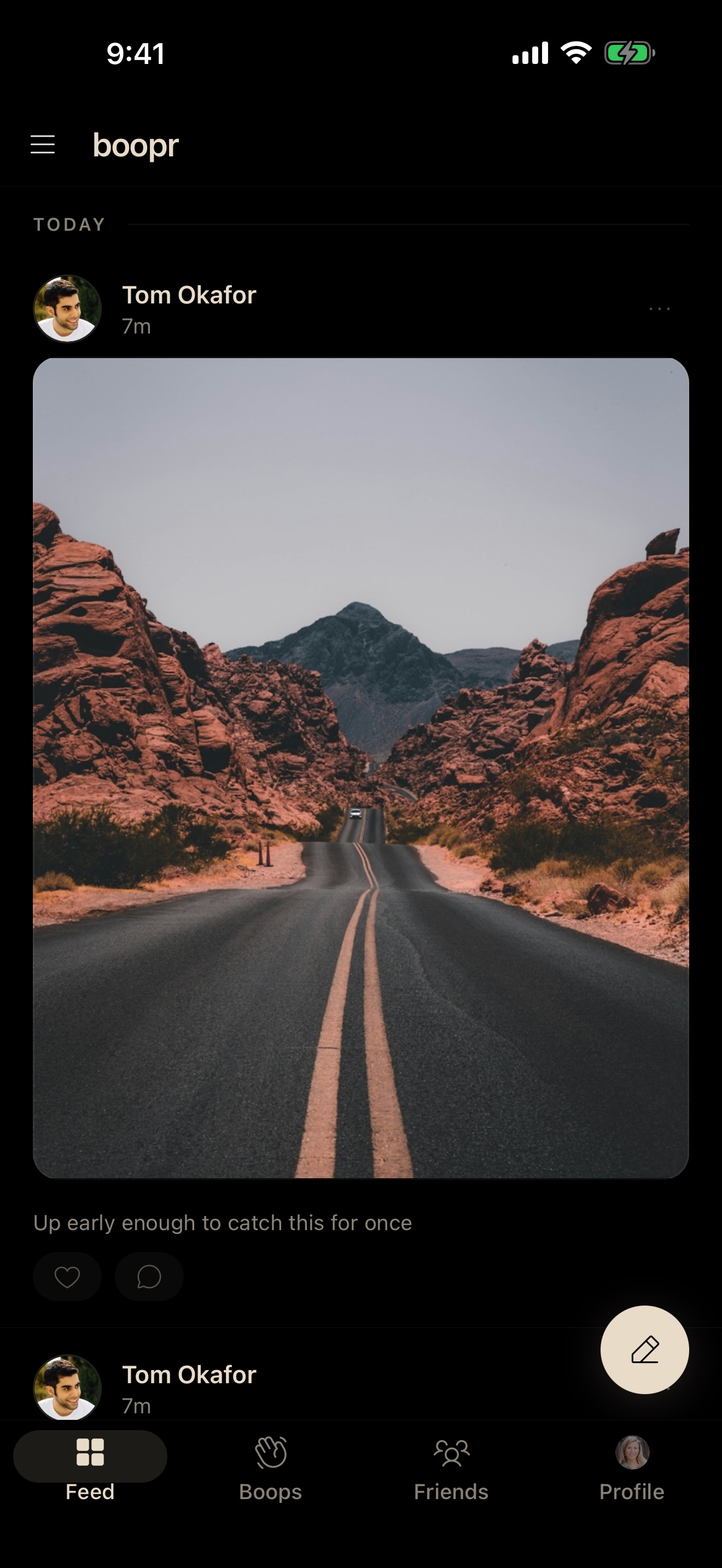
boopr feed showing a chronological post from a friend
The feed
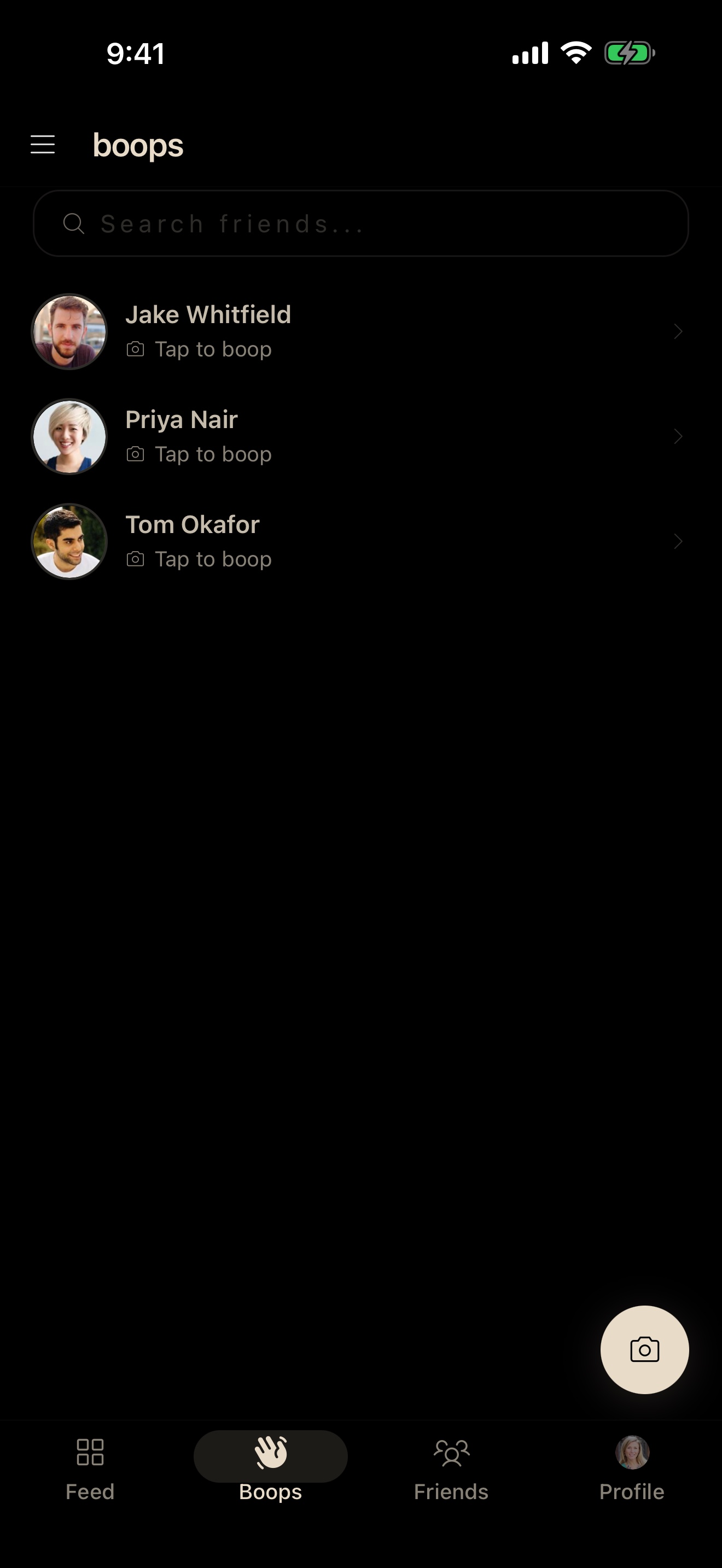
boopr boops screen with a list of friends ready to boop
A boop
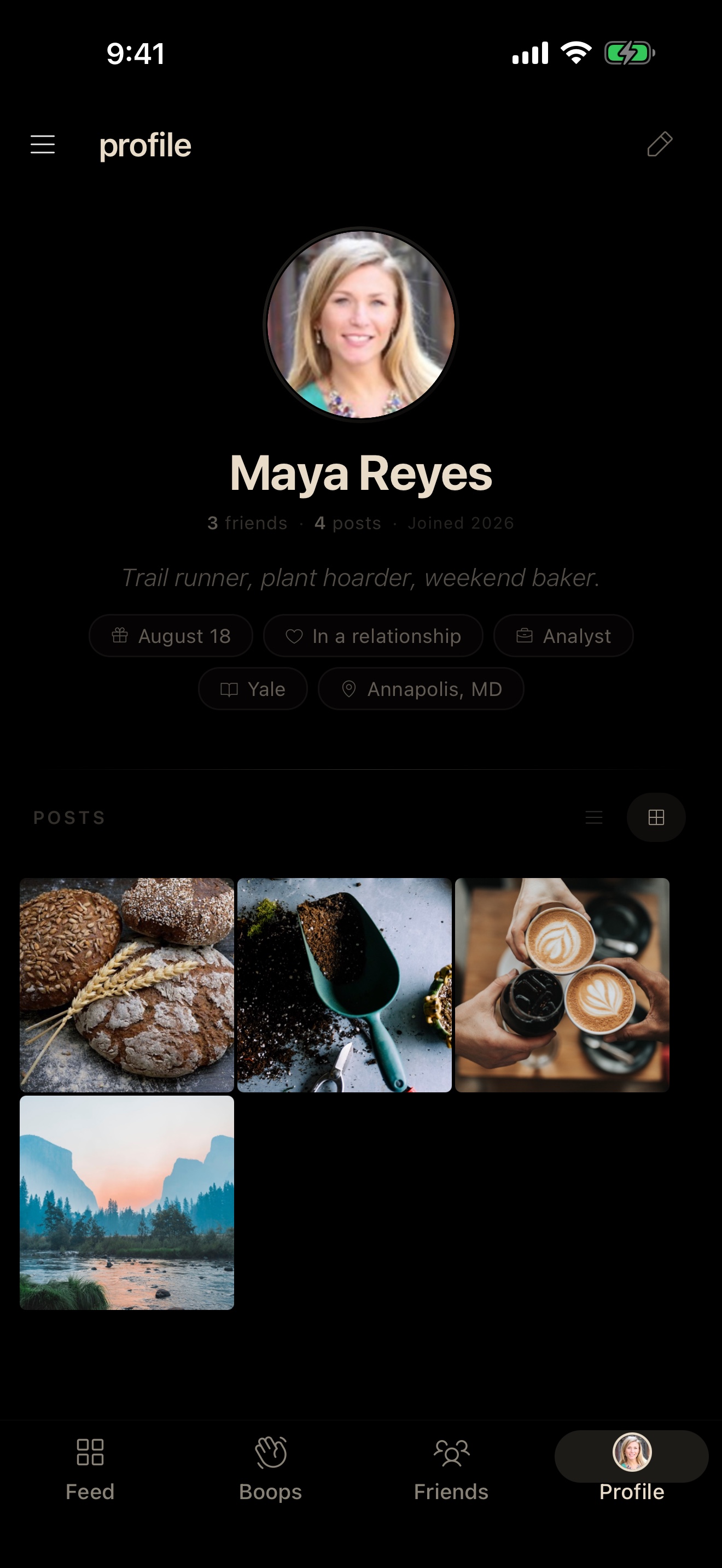
boopr profile screen with bio and post grid
A profile
Chronological

Just your friends

Open the app, see what your friends posted, maybe send a boop, get on with your day. No algorithm decides what matters. Newest first, always.

Express yourself

Say more

Photos and video for the feed. Boops for the moments in between: quick photos or short videos to specific friends, gone after they're seen. Like a Snapchat snap, but it never goes to a public Stories feed. Messages for when it turns into a conversation, just you and one friend. Photo boops are free; video boops are on boopr+.

Private by default

Actually private

Your posts and photos are encrypted on your phone before they reach us. We only ever hold ciphertext. If we tried to snoop on you, we'd have to break into every friend's device individually to get the keys.

What you'll find on boopr
Your feed
A chronological timeline of posts from your friends. Photos, text, GIFs, video, albums, newest first. Double-tap to like. Comments are quiet by default: only the poster and you see your comment, unless you choose to share it with everyone who can see the post. Never a public reply thread like on X. Choose who sees each post: all friends, a specific list, or one person.
Boops
A photo or short video you send to specific friends, gone after they've seen it. Snapchat figured out the snap shape; we kept that and dropped the public broadcast layer. Boops go to the friends you picked, never to a Stories feed where strangers can land on them. Photo boops are free, video boops are on boopr+. The app is named after them.
Messages
A private conversation between you and one friend. Text, photos, and GIFs are free; voice messages, video messages, and albums are on boopr+. Notifications never contain what was said, screenshots ping the other person, and blocking someone ends the conversation both ways. No ads in your inbox, ever.
Lists
Save groups of friends as lists like "Close Friends" or "Family" and pick which list sees each post. Each post snapshots the list at send time, so adding someone later doesn't open up your old posts; if you ever need to share a single post with one extra friend, "Share with someone" does it from the post itself.
Logbook
A journal in the side menu that's only for you. No friend ever sees an entry, and neither do we. Text and single-photo entries are free; albums and video entries are on boopr+.
The News briefing
A short news digest in the menu, twice a day. It's machine-written and labeled as such, built from primary official sources with the attributions shown, and identical for every reader. It ends instead of scrolling forever, reading it reports nothing back to anyone, and if you'd rather keep news out of your social app, you can hide it in Settings.
Screenshot detection
Screenshot a boop, a post, a profile, or a chat and the other person's phone pings within a second or two. The screenshot isn't blocked; the point is that it isn't invisible. The notification is the deterrent.

More coming. See the roadmap.

Why boopr exists

Instagram stopped being about friends.

The feed you opened in 2012 to see your roommate's dog now shows you eight ads and a stranger's CrossFit PR before it gets to anyone you follow. It isn't broken; it's working exactly as designed. Snapchat ships ads directly into your chat inbox above messages from real friends, and charges $15.99 a month to turn them off. Your actual friends are less profitable than whatever keeps you scrolling past strangers.

We built boopr for the thing those apps used to do. Open it, scroll the posts from the people you added, close it. The whole loop should take about 30 seconds. If it ever takes longer, we've failed.

Your posts go only to the friends you picked. Our servers hold encrypted blobs they can't read.

boopr has no public profiles and no search. Nobody can see your posts, follow you, or message you until you accept their friend code, so your feed is only ever the people you chose. Signing up takes a phone and about three minutes: no phone number, no email, no invite.

Coming from another app? See how boopr compares to Instagram, Snapchat, and BeReal.

How privacy actually works
When you post
Your phone creates a unique key, locks your post with it, and sends the locked version to our servers. We store it, but we can't open it. Only your friends' devices can.
When friends view it
The key gets sealed individually for each friend; only their phone can unlock it. We deliver sealed envelopes. We never see what's inside.
What we see
Ciphertext and metadata. We can see that user X posted at 3:04 pm and that users Y and Z pulled the post. We need that to deliver things. We can't see the caption, the photo, or the name of the list it went to. Our own engineers can't pull the content even with a court order, because we don't have the keys.
How it works
1

Download and open

Get boopr from the App Store or Google Play and create your account. No phone number, no email, no invite code. Your phone proves it is a real phone running the real boopr app, and you're in.

2

Add friends

Exchange friend codes in person or by QR. No phone number, no contacts upload. Your friend list is invisible to everyone but you.

3

Start sharing

Post photos, boop someone, message a friend. Your circle, your rules.

Free vs boopr+

Other social apps cover their hosting and engineering bills by selling ads against your friends and metadata about your behavior. boopr doesn't, so the features with real per-user costs (video, albums, profile video, voice and video messages) pay for themselves through boopr+. Everything else stays free forever. As the app grows, so does boopr+: a few additions are already on the roadmap, more we haven't shared yet, and the price stays the same.

Free
Always free
  • Unlimited photo and text posts
  • GIFs
  • Likes, comments, friend codes
  • Boops, lists, push notifications
  • Messages: text, photos, GIFs
  • Logbook and the News briefing
  • Screenshot detection
  • Everything encrypted by default
boopr+
$9.99/mo or $79.99/yr
  • Everything in Free, plus:
  • Video posts
  • Video boops
  • Voice, video, and album messages
  • Photo albums (2-20 photos per post)
  • Albums and video in Logbook
  • Profile video
  • App icon options
  • Early access to new features
Frequently asked questions
How do I join?
Download boopr from the App Store or Google Play and open it. There's no invite, no phone number, and no email. Set your name, save the recovery phrase the app shows you, and you're in. To see anyone's posts you trade friend codes with people you know, so a feed on boopr is only ever the people you picked.
Is boopr really free?
Yes. Posting, photos, photo boops, messages, lists, and screenshot detection are free forever. boopr+ ($9.99/month or $79.99/year) covers the features with real per-user costs (video, albums, profile video, voice and video messages), the same costs other apps cover with ads and data sales. We chose subscribers instead. boopr+ grows as we ship new capabilities; the price doesn't.
What's a boop?
A photo or short video you send to specific friends, gone once they've seen it. Snapchat got the snap shape right; we kept that part and skipped the public Stories feed. Photo boops are free; video boops are a boopr+ feature. The app is named after them.
Can boopr read my posts?
No. Encryption happens on your phone before anything reaches our servers. What we store is ciphertext we don't have keys for. Even with a subpoena we can only hand over metadata (who posted when, who pulled what), never content.
What if I lose my phone?
You can view your recovery phrase in Settings > Security anytime. It restores your account, profile, posts, and message history on a new device. Recovery is always free, not a boopr+ feature.
How do I add friends?
Exchange friend codes in person or scan a QR code. You approve every connection. No phone number needed, no contacts upload. How you name, group, and organize your friends is encrypted so we can't read it; our servers see only anonymous account IDs connected for delivery, with no names or identities attached.
Can I message friends on boopr?
Yes. Messages are private conversations between you and one friend: text, photos, and GIFs on any account, with voice messages, video messages, and albums on boopr+. Notifications never contain the message text, and screenshot alerts work in chats the same as everywhere else.
What happens if someone screenshots?
If you screenshot a boop, a post, a profile, or a chat, the other person's phone pings within a second or two. The screenshot itself isn't blocked; what changes is that the person who shared it knows. Snapchat does this kind of thing too; the difference is we don't need to read your content to run it.
Do you track anything?
No ads, no analytics on content, no data resale. Push notifications carry a routing ID and nothing else, so your phone composes the notification text after it decrypts the message locally. Apple and Google can't read "Sarah sent you a boop" either. We collect crash logs and basic service metrics; that's the list.
Can I delete my account?
Yes. Tap "Delete account" in Settings. Local data wipes immediately; encrypted server data is deleted right away, with media following within minutes. Your messages are deleted for both you and your friends. We store encrypted blobs we can't decrypt anyway, so there's nothing we could keep even if we wanted to.
Can I export my data?
Not at launch. A full encrypted-data export feature is on the post-launch roadmap, with no firm date yet. When it ships, the bundle will be encrypted with your recovery phrase and decryptable on a new device or independently. Until then, your 24-word recovery phrase already restores your account, posts, and profile on a new device.
I just downloaded it. What do I do?
Open the app and tap Create your account. Set your name, write down the 24-word recovery phrase the app shows you, and you're in. Then add a friend: one of you makes a friend code, the other enters it. The whole flow takes about three minutes.
Why not just use Signal?
Different shapes, and you can happily use both. It's a messenger first: chats with anyone who has the app. boopr is your friends' feed first, with private messages alongside; you can only message people you've added as friends, and the conversation stays between the two of you.
Where is boopr available?
iOS and Android only, and US-only for now. Most non-US jurisdictions require apps that handle private content to provide content access on demand for moderation or law enforcement, and we can't, by design. We're launching where that's compatible with how the app works and reassessing other markets as those regulations evolve. The hardware-backed key story (Secure Enclave on iOS, StrongBox on Android) is also why there's no web client.

Want more than a quick answer? Read the guides.

Out now on iOS and Android.

iOS and Android. Free. No phone number, no email.

App Store Google Play